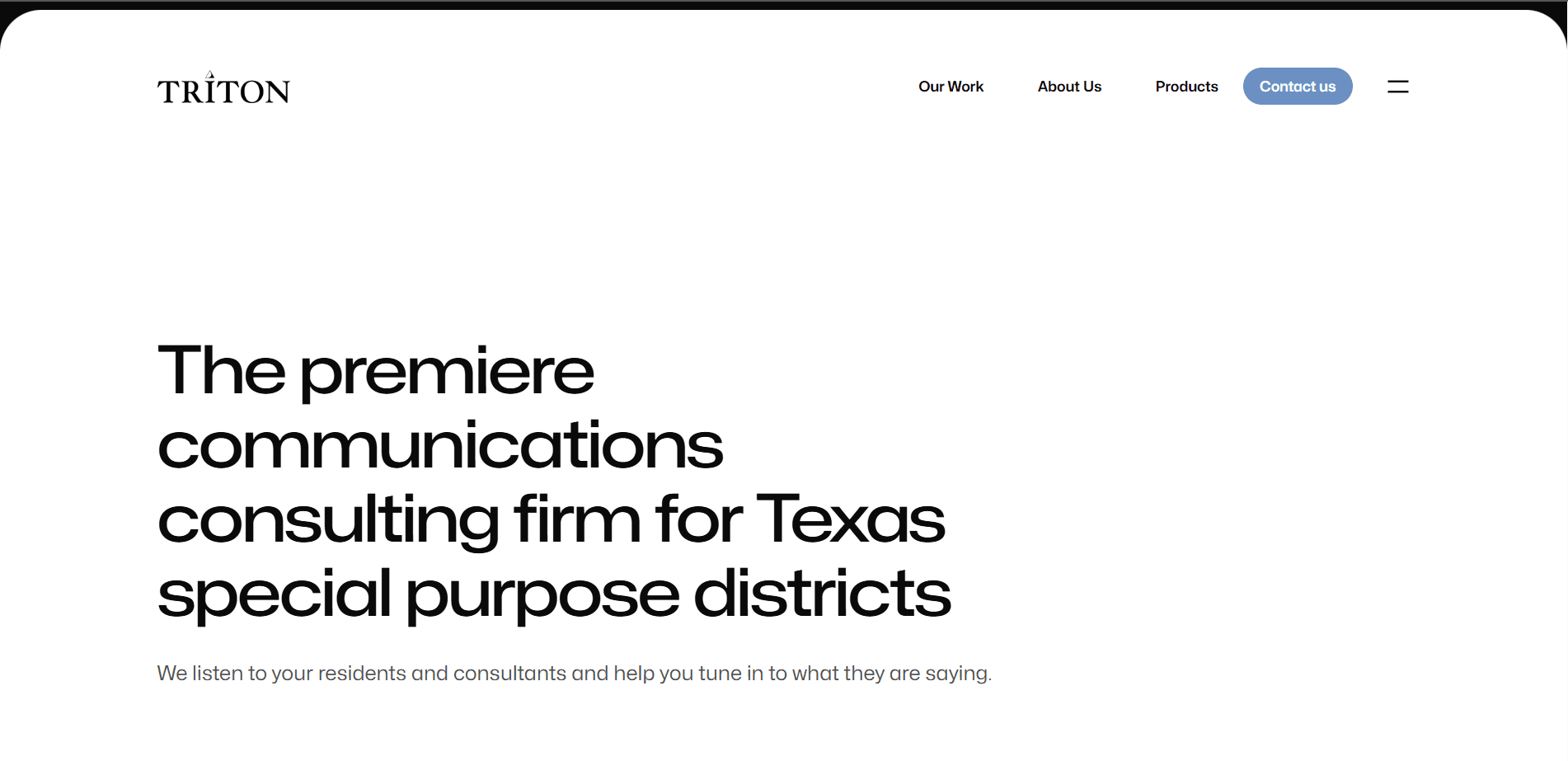
Building a Multi-Site CMS Platform for Enterprise Websites
Triton Consulting Group manages a portfolio of over 6 client websites from a single, centralized CMS platform built with Next.js and Payload CMS. The platform provides consistent branding, efficient content management, and scalable infrastructure across all client sites.
Previously, each client website was managed independently - separate codebases, separate hosting, separate content management. Updates required duplicating effort across sites, branding was inconsistent, and maintenance costs grew linearly with each new client. The centralized CMS eliminated these inefficiencies.
The platform now serves diverse clients including property management companies, community organizations, and professional services firms. Each site has its own content, design, and domain, but they share the underlying CMS infrastructure, authentication system, and deployment pipeline.
Triton Consulting Group's business model involved building and maintaining websites for multiple clients. As the client portfolio grew, so did the operational burden. Each new client meant a new codebase, a new hosting setup, a new CMS installation, and a new maintenance cycle.
Content updates were inefficient: when a client wanted to update their website content, the process involved logging into their individual CMS instance, remembering the unique interface, and navigating different content structures. For Triton's team managing 6+ sites, this cognitive overhead was significant.
Branding consistency was a recurring challenge. Common elements (footer, contact forms, analytics tracking) had to be updated independently on each site. When a client wanted to add a new service or update their about page, the changes needed to be replicated across related pages and sometimes across sites.
The key constraint was scalability: the existing per-site model meant that adding a new client required 40-60 hours of setup time. For a business where margins depend on efficiently serving multiple clients, this was a bottleneck to growth.
Business Goals
- Reduce new client onboarding time from 40-60 hours to under 10 hours
- Eliminate duplicated effort by enabling content reuse across sites
- Ensure consistent branding and functionality across all client websites
- Reduce monthly maintenance overhead by 60%
Technical Goals
- Build a centralized CMS that manages content for multiple independent websites
- Enable per-site customization while maintaining shared infrastructure
- Achieve sub-2-second page loads on all client sites
- Support unlimited additional sites without infrastructure redesign
- Provide content editors with a unified, intuitive editing experience
User Goals
- Content editors should manage all client sites from a single admin panel
- Each client should experience their site as a unique, standalone website with its own domain and branding
- Editors should be able to clone content structures (page layouts, navigation) across sites
- Changes should go through a preview workflow before publishing
Functional
Non‑Functional
Performance
- • Page load times under 2 seconds on desktop and 3 seconds on mobile for all client sites
- • Image optimization with automatic WebP conversion and responsive sizes
- • Cache hit ratio above 90% for public page views
- • Database query times under 100ms for content retrieval
Security
- • Authentication via Payload CMS's built-in auth with bcrypt password hashing
- • Role-based access control: admin, editor, and viewer roles per site
- • CSRF protection on all form submissions
- • Rate limiting on contact form endpoints
- • Regular security updates through automated dependency scanning
Scalability
- • Support for up to 50 client sites without infrastructure changes
- • Content database scalable to 100,000+ pages across all sites
- • Media library scalable to 500GB total across all sites
Maintainability
- • Automated database migrations through Payload CMS
- • CI/CD pipeline with staging environment for each client site
- • Centralized error tracking with Sentry
- • Automated SSL certificate renewal via Let's Encrypt
System Flow
- 1Content editors log into the centralized Payload CMS admin panel. The panel shows all client sites, and editors navigate between sites through a site selector. Each site has its own content collections: pages, posts, navigation, media, and global settings.
- 2When an editor publishes or updates content in Payload, the CMS triggers a webhook to the Next.js application. Next.js revalidates the affected pages using Incremental Static Regeneration (ISR), ensuring updates appear on the live site without a full rebuild.
- 3Public visitors access client sites through their custom domains. A reverse proxy (Nginx) routes requests to the Next.js application based on the domain. Next.js reads the site context from the hostname and fetches site-specific content from Payload's REST API.
- 4Next.js renders pages using server-side rendering for dynamic content (contact forms, search) and static generation for content pages (about, services, blog). The rendering strategy is configured per-page type in the Payload CMS admin.
- 5Client sites share common infrastructure (Next.js application, database, CDN) while maintaining separate domains, branding, and content. This shared architecture enables efficient resource utilization and centralized management.
Database Design
- Payload CMS uses MongoDB as its primary database. The content schema is defined through Payload's collection configuration, which generates both the database schema and the admin UI automatically.
- Each client site is represented as a Site collection with fields for domain, name, theme configuration, and active status. All content collections (pages, posts, media) include a `site` relationship field that links content to its parent site.
- The `pages` collection has a hierarchical structure supporting nested pages (e.g., /services/web-development). Each page has fields for title, slug, content blocks (composed of reusable sections), SEO metadata, and publishing status.
- Reusable content sections (hero banners, CTAs, testimonials, team members) are stored in a `globals` collection accessible across sites. When a reusable section is updated, all sites using that section reflect the change.
- Media files are stored in AWS S3 with Payload's built-in S3 adapter. The database stores only the file reference, while the actual files are served from S3 through CloudFront CDN.
Request Flow
- 1A visitor navigates to `https://client-site.com`. DNS resolves to the Nginx reverse proxy, which identifies the site from the hostname and forwards the request to the Next.js application.
- 2Next.js reads the hostname and determines which site's content to serve. For a content page, it fetches the page data from Payload CMS's REST API, filtering by site ID and page slug.
- 3Payload returns the page content as JSON, including the page's blocks (composed of reusable sections), SEO metadata, and navigation structure. Next.js renders this data into HTML using React Server Components.
- 4The rendered page is served to the visitor with a Cache-Control header set to 60 seconds. Subsequent requests within 60 seconds are served from the CDN edge cache without hitting the Next.js server.
- 5When content is updated in Payload, a webhook triggers Next.js's revalidation API. The affected pages are regenerated in the background and the CDN cache is invalidated for those specific paths.
Deployment Flow
- 1The Next.js application is deployed on AWS ECS Fargate behind an Application Load Balancer. Payload CMS runs as a separate container on the same ECS cluster, serving both the admin panel and the REST API.
- 2MongoDB runs on Amazon DocumentDB (MongoDB-compatible) with Multi-AZ deployment for high availability. S3 stores media files, and CloudFront serves as the CDN for both static assets and cached pages.
- 3The CI/CD pipeline (GitHub Actions) builds the Next.js and Payload applications as Docker images, pushes them to Amazon ECR, and triggers a rolling update on ECS. Database migrations run as a pre-deployment step.
- 4Each client site's DNS is configured with an SSL certificate from AWS Certificate Manager, managed centrally through the infrastructure-as-code templates.
- 5Staging environments spin up on-demand for testing client-specific changes before production deployment. The staging environment uses the same Docker images but connects to a separate MongoDB instance.
Architectural Decisions
Payload CMS vs. Contentful vs. Strapi
Payload CMS was chosen over Contentful (SaaS, expensive per-seat pricing for multiple client editors) and Strapi (self-hosted but less mature multi-tenant support). Payload provides native multi-tenancy, a self-hosted option for data sovereignty, and a rich admin UI that content editors found intuitive during evaluation. The Node.js codebase allows backend customization without learning a separate plugin architecture.
ISR vs. full SSG for content pages
Incremental Static Regeneration (ISR) was chosen over full static generation because content changes are frequent and unpredictable. With ISR, pages are statically generated on first request and revalidated in the background when content updates. Full SSG would require a complete rebuild for every content change, which is impractical for frequently updated client websites.
MongoDB vs. PostgreSQL for Payload
Payload CMS currently uses MongoDB as its primary database. While PostgreSQL would be more familiar and provide stronger relational integrity, MongoDB's schema flexibility aligns with Payload's dynamic content modeling approach - where content structures change as new client requirements emerge. The document model maps naturally to nested page content with heterogeneous block types.
Container-based deployment vs. Vercel
Self-hosted containers on AWS ECS were chosen over Vercel because of the need to run Payload CMS's Node.js server alongside the Next.js application. Vercel's serverless functions have execution time limits that conflict with Payload's media upload and admin API operations. The trade-off is increased DevOps overhead for managing ECS, but this provides the flexibility needed for the CMS backend.
Next.js provides both server-side rendering (for dynamic pages like search results) and static generation (for content pages), with ISR bridging the two. File-based routing maps directly to the page hierarchy managed in Payload. The Image component provides automatic optimization for the media-heavy client websites.
Trade-off
Payload's headless architecture with a built-in admin panel provides the complete CMS experience without external dependencies. Its multi-tenant support allows all client sites to be managed from a single admin instance, which was the core requirement. Payload's access control system maps user roles to site-level permissions natively.
Trade-off
AWS provides the managed infrastructure needed for a multi-tenant CMS: ECS for container orchestration with auto-scaling, S3 for scalable media storage, CloudFront for global CDN distribution, and Certificate Manager for centralized SSL management. The infrastructure can grow with the client portfolio without architectural changes.
Trade-off
Twilio SendGrid provides reliable email delivery for contact form submissions, with built-in templating, delivery tracking, and spam filtering. Its API integrates cleanly with Payload's hooks system - when a contact form submission webhook fires, SendGrid sends a formatted email to the client's designated inbox.
Trade-off
Multi-Site Content Management
Problem
Managing 6+ independent websites meant logging into 6+ different CMS instances, remembering different interfaces, and duplicating content updates across sites. Content editors spent 30% of their time on administrative overhead rather than actual content work.
Solution
The centralized Payload CMS admin panel shows all client sites in a single interface. Editors switch between sites with a dropdown, and content structures are consistent across sites. Shared content components (testimonials, CTAs) can be created once and used across multiple client sites.
Engineering Challenges
The main challenge was balancing content isolation (each client's data must be private) with content sharing (reusable components across sites). Payload's access control system allowed us to implement site-scoped read/write permissions while creating a special 'shared' content scope that all authenticated editors can access.
Drag-and-Drop Page Builder
Problem
Clients wanted to create and modify pages without developer involvement - adding a new service page, updating the homepage layout, or rearranging sections. Traditional CMS interfaces required knowledge of HTML or shortcodes, creating dependency on the development team.
Solution
We built a custom page builder within Payload CMS using its Block component system. Editors compose pages by selecting from pre-built sections (hero, features, testimonials, gallery, CTA, contact form). Each section has configurable options (background color, layout variant, content fields) exposed in the admin panel.
Engineering Challenges
The block-based page builder generates deeply nested JSON content. Rendering this efficiently in Next.js required a recursive component system that maps block types to React components. Performance optimization was needed to avoid unnecessary re-renders when blocks share common data sources.
Multi-tenant content performance at scale
As the number of client sites grew, Payload CMS queries became slower because all content was in a single MongoDB collection. A query for 'pages where site = X' had to scan rows from all sites. We implemented MongoDB compound indexes on `(site, slug)` and `(site, status, publishedDate)` to keep query times sub-100ms regardless of the total number of documents. Payload's built-in query optimization combined with proper indexing resolved the performance degradation.
Trade-off
Client-specific customizations vs. platform consistency
Clients inevitably request custom features that are not available in the shared platform. We implemented a plugin system that allows per-site feature flags and custom components without modifying the core platform code. Customizations are registered as Payload plugins with site-scoped conditions. This allows the platform to evolve in a controlled way while meeting individual client needs.
Trade-off
Content preview workflow with ISR
Editors need to preview changes before publishing. Payload's draft system stores drafts in the database without publishing. We built a preview route in Next.js that reads draft content directly from Payload's API when a preview query parameter is present. The preview route bypasses the CDN cache and always serves fresh content. Published content continues to use ISR with CDN caching.
Trade-off
- ▸Next.js ISR with 60-second revalidation ensures published pages are served from CDN edge cache for the majority of requests, achieving sub-100ms response times globally.
- ▸Payload CMS compound indexes on `(site, slug)` reduced multi-tenant query times from 800ms to under 50ms.
- ▸Next.js Image component with CloudFront CDN serves optimized images in WebP format with responsive sizes, reducing image payload by 60% compared to original uploads.
- ▸React Server Components eliminate client-side JavaScript for content rendering, resulting in 80% less JS shipped compared to a client-rendered approach.
- ▸The page builder's block rendering uses dynamic imports to load section components lazily, reducing the initial bundle size by 35%.
- ▸Database connection pooling through Payload CMS keeps MongoDB connection count stable under concurrent load, preventing connection exhaustion during traffic spikes.
- ▸Payload CMS authentication uses bcrypt password hashing with a configurable cost factor. Session management uses HTTP-only, secure cookies with configurable expiration.
- ▸Role-based access control at the site level restricts editors to managing only their assigned client sites. Admin users can manage all sites.
- ▸The contact form endpoint includes Google reCAPTCHA integration to prevent bot submissions - a common problem for public-facing client websites.
- ▸Rate limiting on the contact form API (5 submissions per minute per IP) prevents abuse while remaining transparent to legitimate users.
- ▸All admin panel traffic is restricted to HTTPS. The admin route is served from a sub-path that is not included in the public sitemap.
- ▸Dependency scanning runs automatically in the CI/CD pipeline, flagging vulnerabilities before they reach production. Critical patches are applied within 24 hours.
- 1Multi-tenant CMS platforms require careful content isolation at the database, API, and UI levels. We initially relied on Payload's built-in access control but found it insufficient for preventing accidental cross-site edits. Adding site-scoped middleware at the API level provided defense-in-depth.
- 2Clients value editorial independence over platform efficiency. Even though sharing content across sites is more efficient, each client wants to feel their site is unique. We added per-site theming (colors, fonts, layout variants) to give each site a distinct identity while maintaining shared infrastructure.
- 3ISR is powerful but has edge cases: if the Next.js server is restarted during a revalidation, the page might serve stale content for up to the revalidation window. We added an on-demand revalidation endpoint that Payload CMS calls after content updates, bypassing the revalidation window for immediate updates.
- 4The drag-and-drop page builder was the most requested feature but also the most complex to implement. Its development took 40% of the total project timeline. For future projects, I would evaluate existing block-based page builder solutions before custom-building.
- 5Content editors need structured training even with an intuitive CMS interface. We created video tutorials and a knowledge base for common editorial tasks. Training new editors takes 2-3 hours per client, which should be factored into onboarding timelines.
Roadmap
- 1Implement A/B testing capabilities: clients should be able to test different page variants and measure conversion rates before committing to a permanent change.
- 2Add AI-powered content generation: suggest SEO-optimized meta descriptions, generate alt text for images, and provide content improvement recommendations based on readability scores.
- 3Build a client portal where clients can request changes, track project status, and review invoices without leaving the platform.
- 4Add analytics dashboard within the admin panel showing page views, form submissions, and conversion metrics for each client site.
- 5Implement automated SEO audits that scan all client sites for common issues (missing meta descriptions, broken links, slow pages) and generate remediation reports.
- 6Expand to serve as a white-label agency platform, allowing other web agencies to use the same infrastructure under their own brand.
Want to discuss this project?
I am always happy to talk about engineering decisions, architecture, or how I can help with your next project.