What Is MCP? A Beginner's Guide to the Model Context Protocol
MCP explained in plain English: what an MCP server is, what an MCP client is, why AI apps need MCP, and how tools, resources, and prompts fit together.

Mustafa Tawab
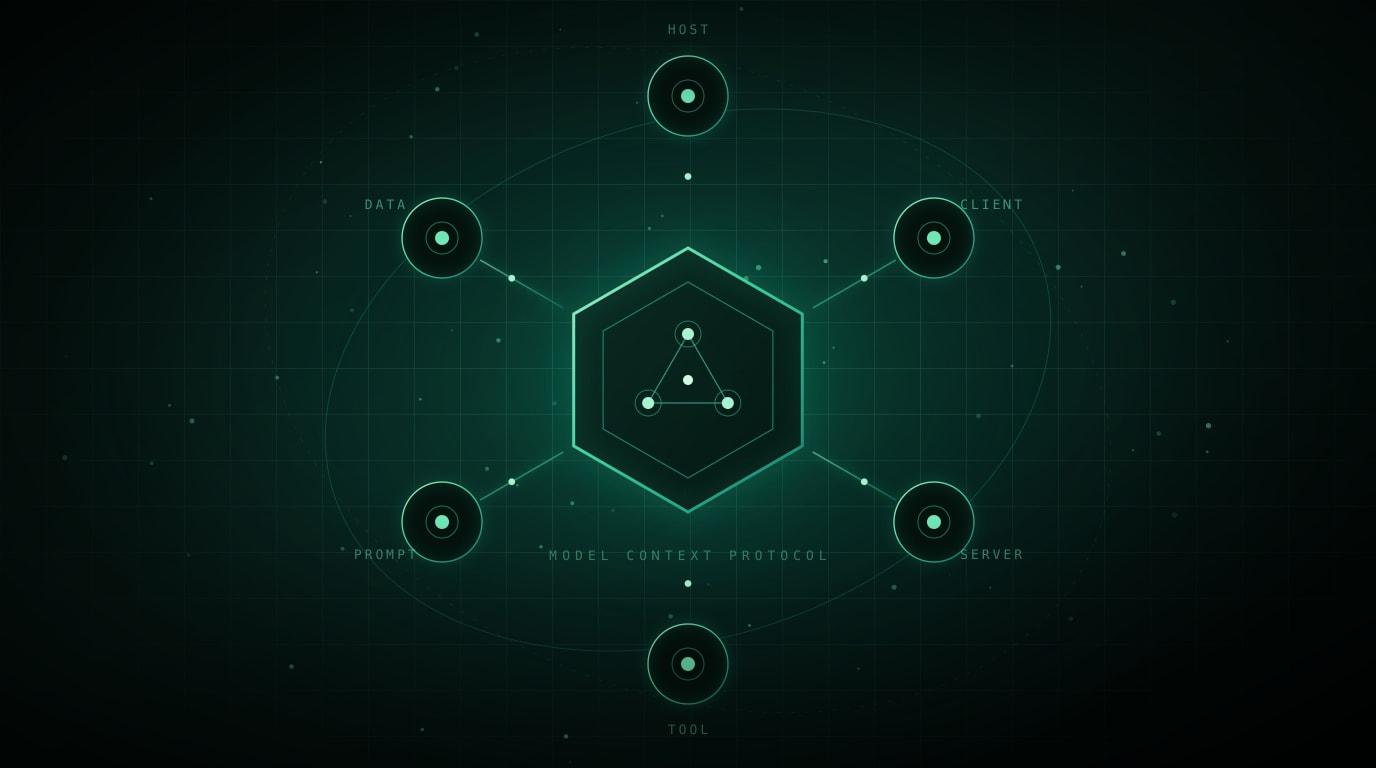
Your AI assistant is very smart and completely blind.
It has read a huge amount of the public internet. It can write code, explain a bug, and draft an email. But it cannot see your database, your files, your Git repository, your calendar, or your company wiki. Those things were never part of its training, and they change every day.
MCP is the standard way to fix that. It is how an AI app asks your software a question and gets a real answer back.
This article explains MCP from zero. No prior knowledge assumed.
The Problem: Every AI App Speaks a Different Language#
Imagine you have a notes app and you want Claude to read your notes. Then you want ChatGPT to read them too. Then Cursor. Then a new assistant that launches next month.
Before MCP, you had two bad options.
Option 1: Build a custom integration for each client. Each AI product had its own way of describing functions, its own request format, and its own authentication rules. You would write the same "get my notes" logic four times, in four slightly different shapes.
Option 2: Hope the client supports your service. Usually it didn't.
This is the same problem we had with phone chargers before USB-C. Every device had a different plug, so you carried a bag of cables. MCP is the USB-C port.
| Before MCP | With MCP |
|---|---|
| One custom integration per AI app | One server works with every MCP client |
| Different schema for each provider | One standard schema and lifecycle |
| Rebuild everything when a client changes | Your server keeps working |
| Tools and data locked to one vendor | Portable across Claude, ChatGPT, Cursor, and more |
What Is MCP?#
MCP stands for Model Context Protocol. It is an open standard that lets an AI application talk to external software in a structured, predictable way.
Three facts describe it well:
- It is a protocol, not a product. It defines messages, not a specific app.
- It runs on JSON-RPC 2.0. Every request and response is a small JSON object with a method name and optional parameters.
- It separates the AI app from your code. The AI does not import your database driver. It sends a message to your server, and your server decides what to do.
A useful analogy is a restaurant:
| Restaurant | MCP | Example |
|---|---|---|
| Customer | MCP client | Claude, ChatGPT, Cursor |
| Menu | Tool list | search_notes, get_project |
| Kitchen | MCP server | Your program |
| Waiter | Transport | stdio or Streamable HTTP |
| Dish | Tool result | Markdown text and JSON |
The customer never walks into the kitchen. They read the menu, place an order, and the waiter carries the plate back. MCP is the menu, the waiter, and the rules for ordering.
MCP was created by Anthropic and released in late 2024. It is now supported by a wide range of clients, including Claude, ChatGPT, Cursor, VS Code, and many agent frameworks. The important part is not who made it. The important part is that it is open, so any client and any server can implement it.
The Three Roles: Host, Client, and Server#
People often mix these up. They are three different things.
| Role | What it is | Examples |
|---|---|---|
| Host | The application a person uses | Claude Desktop, claude.ai, ChatGPT, Cursor, VS Code |
| Client | The connector inside the host that speaks MCP | One client per server connection |
| Server | The program that exposes data and actions | Your portfolio server, a GitHub server, a Postgres server |
Here is the flow:
┌──────────────────────────────┐
│ Host (Claude Desktop)        │
│                              │
│  ┌────────┐   ┌────────┐     │
│  │ Client │   │ Client │     │
│  └───┬────┘   └───┬────┘     │
└──────┼────────────┼──────────┘
       │            │
       ▼            ▼
┌────────────┐ ┌────────────┐
│ MCP Server │ │ MCP Server │
│ (portfolio)│ │ (GitHub)   │
└────────────┘ └────────────┘
A few rules that make this click:
- The host is what the human sees. It owns the chat window and the permission prompts.
- A client is created by the host for each server it connects to. If Claude connects to three servers, it has three clients.
- The server never talks to another server directly. It only answers the client that called it.
- "Client" and "server" are software roles, not people. You are not the client. You are the person using the host.
When you add a custom connector in Claude, you are telling the host: "Here is a new server. Create a client for it."
What a Server Exposes: Tools, Resources, and Prompts#
An MCP server can offer three kinds of things. The difference is who decides when to use them.
| Primitive | Who controls it | What it is | Example |
|---|---|---|---|
| Tool | The model | A function the AI can call | search_notes("docker") |
| Resource | The application | Read-only data the app can load | A file at notes://42 |
| Prompt | The user | A reusable message template | "Review this code" |
Tools#
A tool is a function. It has a name, a description, an input schema, and a handler.
The model reads the description and decides whether to call it. This is the primitive most people mean when they say "MCP server". If your server can do something, it is probably a tool.
{
    "name": "search_notes",
    "description": "Search notes by keyword. Use this when the user asks about something they wrote down.",
    "inputSchema": {
        "type": "object",
        "properties": {
            "query": { "type": "string" }
        },
        "required": ["query"]
    }
}Resources#
A resource is data identified by a URI. Think of it as a file the client can open.
notes://42
file:///projects/portfolio/README.md
postgres://customers/1234
Resources are usually application-controlled. The host decides when to attach one to the conversation, or the user picks one from a list. They are great for documents, records, and files that should be read without running code.
Prompts#
A prompt is a template the user chooses. In a client it often appears as a slash command or a button.
For example, a review_code prompt might ask for a language and a snippet, then produce a fully written user message. Prompts do not contain facts. They contain instructions, and they usually tell the model which tools to call.
Client-side features#
A few capabilities run the other way:
- Sampling lets a server ask the host's model to generate text.
- Roots tell a server which folders it is allowed to work in.
- Elicitation lets a server ask the user for missing information.
You do not need these on day one. They are worth knowing because they show that MCP is a two-way conversation, not just a function-call API.
Why Do We Need MCP?#
Because the alternative is a mess.
Without a standard, every AI product invents its own plugin format. Every company writes the same integration repeatedly. Every new client launch creates a new migration project. Users end up with data trapped inside one assistant.
MCP fixes this in five concrete ways:
- Write once, connect everywhere. A server built for Claude also works in ChatGPT, Cursor, and any other compliant client.
- Discovery is built in. The client calls
tools/listand learns what the server can do. No hardcoded integration list. - Schemas are standard. Inputs are described with JSON Schema, so clients can validate arguments before anything runs.
- Permissions are visible. Clients can show the user exactly which tool is about to run and what arguments it will receive.
- The ecosystem compounds. Thousands of servers already exist for GitHub, Slack, Postgres, filesystems, browsers, and more.
There is also a quieter benefit: separation of concerns. Your server owns the data and the business rules. The AI app owns the conversation and the user interface. Neither one has to know how the other is implemented.
A Real Conversation, Step by Step#
Here is what actually happens when you ask Claude: "What did I write about Docker?"
1. Initialize#
The client opens a connection and introduces itself.
{
    "jsonrpc": "2.0",
    "id": 1,
    "method": "initialize",
    "params": {
        "protocolVersion": "2025-11-25",
        "capabilities": {},
        "clientInfo": { "name": "claude-ai", "version": "1.0.0" }
    }
}
The server replies with its own name, version, capabilities, and optional instructions.
2. Discover tools#
The client asks what is on the menu.
{ "jsonrpc": "2.0", "id": 2, "method": "tools/list", "params": {} }The server returns every tool with its description and input schema.
3. The model chooses#
The host gives those descriptions to the model along with the user's question. The model decides that search_notes is the right tool and produces arguments.
4. Call the tool#
{
    "jsonrpc": "2.0",
    "id": 3,
    "method": "tools/call",
    "params": {
        "name": "search_notes",
        "arguments": { "query": "docker" }
    }
}
5. The server answers#
{
    "jsonrpc": "2.0",
    "id": 3,
    "result": {
        "content": [
            {
                "type": "text",
                "text": "Found 2 notes:\n- Docker Compose basics\n- Multi-stage builds"
            }
        ]
    }
}
6. The model writes the reply#
The text becomes part of the conversation. The model summarizes it for the user, and may cite a URL if the server returned one.
That is the whole loop. Everything else in MCP is detail layered on top of it.
Transports: How the Words Travel#
MCP does not care how messages move. It only cares what they contain. The two transports you will meet are:
stdio#
The client launches your server as a child process and talks over standard input and output.
- Great for local tools and desktop apps.
- No network, no ports, no HTTPS.
- One process per client connection.
- Never write logs to stdout. One stray
console.logcorrupts the protocol stream. Log to stderr.
Streamable HTTP#
The server runs as an HTTP endpoint, usually POST /mcp.
- Great for remote servers and many users.
- Works through normal HTTPS and proxies.
- Can be stateless: every request is independent, so any machine can answer it.
- This is what you deploy to Vercel, Railway, Fly.io, or a VPS.
An older transport called SSE (Server-Sent Events) is deprecated. You will still see it in old tutorials. Use Streamable HTTP for anything new.
What MCP Is Not#
Clearing up five common misunderstandings:
- It is not a model. MCP has no intelligence. It is plumbing between a model and your code.
- It is not a database. It does not store your data. It gives an AI a safe way to ask your existing system for it.
- It does not replace your REST API. A good MCP server usually wraps the API or data layer you already have.
- It is not automatically safe. A tool can still delete a row if you write it that way. Safety comes from what you expose and how you check it.
- It is not Anthropic-only. The protocol is open, and clients from multiple vendors implement it.
Security in One Page#
MCP gives a model a set of buttons. Your job is to make sure every button is one you are willing to let a stranger press.
- Start read-only. Ship tools that only read. Add writes later, deliberately, one at a time.
- Annotate honestly.
readOnlyHint,destructiveHint, andidempotentHintare hints clients use to decide when to ask for confirmation. They are not enforcement. Never rely on a client to honor them. - Validate every argument. The model can send anything. Use a schema, check ranges, and reject nonsense before it reaches your database.
- Treat tool output as untrusted input. If your server returns text from the web or from user files, that text can contain instructions aimed at the model. This is prompt injection. Do not let tool output silently expand what the model is allowed to do.
- Authenticate remote servers. A public endpoint with no auth is fine for public data. Anything private needs OAuth 2.1 or a bearer token, plus per-user permissions.
- Never put secrets in tool results. The model will read them, and they may end up in a transcript.
The safest first MCP server is a small, read-only window onto data that is already public.
When Should You Build One?#
Build an MCP server when at least one of these is true:
- People keep asking an AI questions that your data can answer.
- You have an action an AI could take safely, like "create a ticket" or "look up an order".
- You maintain an API and want AI clients to use it without custom work.
- You want your product to appear inside Claude, ChatGPT, or an IDE assistant.
Do not build one when:
- A static page or an
llms.txtfile already answers the question. - The only user is you, once.
- The tool would need broad write access you cannot audit.
- You have not decided what "safe" means yet.
For a portfolio, blog, documentation site, or public catalogue, a read-only MCP server is a great fit. That is exactly what I built for this site.
The Smallest Possible Server#
Here is a complete Python MCP server. It exposes one tool and one prompt.
from mcp.server import MCPServer

mcp = MCPServer("Demo")


@mcp.tool()
def add(a: int, b: int) -> int:
    """Add two numbers."""
    return a + b


@mcp.prompt()
def explain_math(topic: str) -> str:
    """Explain a math topic simply."""
    return f"Explain {topic} to a curious ten-year-old."
That is the entire file. Notice what is missing:
- No JSON Schema. The type hints
a: int, b: intbecome the schema. - No request parsing. The SDK handles the protocol.
- No validation code. Bad arguments are rejected before
addruns. - No server loop. The SDK provides the transport.
The docstring becomes the description the model reads. The function name becomes the tool name. Everything else is derived.
Run it in the Inspector and you have a working MCP server in under a minute.
Glossary#
| Term | Meaning |
|---|---|
| MCP | Model Context Protocol. The open standard. |
| Host | The AI application a person uses. |
| Client | The connector inside the host that talks to one server. |
| Server | The program that exposes tools, resources, and prompts. |
| Tool | A function the model can call. |
| Resource | Read-only data identified by a URI. |
| Prompt | A message template the user chooses. |
| Transport | How messages travel: stdio or Streamable HTTP. |
| JSON-RPC | The message format: method, params, result, error. |
| Schema | A description of allowed arguments, usually JSON Schema. |
| Annotation | A hint like "read-only" that helps clients decide when to confirm. |
| Capability | A feature a client or server declares during initialize. |
Where to Go Next#
You now know what MCP is and why it exists. The next step is to build one.
- Build an MCP server in Next.js — the exact stack this site uses.
- Build an MCP server in Node.js with Express — plain Node, no framework magic.
- Build an MCP server in Python — the shortest path from idea to working tool.
If you only remember one sentence, remember this: MCP is a standard menu that lets an AI order from your software without ever entering the kitchen.
Related Articles
All articlesBuild an MCP Server in Python from Scratch
The shortest path to a working MCP server: Python 3.11, the official SDK, Pydantic validation, tools, prompts, resources, and a real test in under twenty minutes.
Agentic AI vs Generative AI: The Difference Is Control Flow
Generative AI produces content. Agentic AI pursues outcomes. A practical guide to the architectural difference, when to use each, and the failure modes that show up in production.
Build an MCP Server in Next.js from Scratch
A complete beginner's walkthrough: expose your Next.js app's data to Claude and ChatGPT with mcp-handler, Zod schemas, tools, prompts, and a real local test.